
Merchant Intelligence Agent
The Merchant Intelligence Agent (MIA) is an intelligence layer built into the Constructor dashboard that helps merchandising teams understand what’s happening in their results, why it’s happening, and what they can do next.
Using a company’s own data, including configurations, merchandising rules, item metadata, and performance analytics, MIA offers clear, natural language explanations to merchandisers’ questions.
With MIA, merchandisers can:
- Understand why results look the way they do. Get clear explanations for search rankings, product visibility, and performance trends based on your specific data and configuration.
- Ask questions in plain language. Ask MIA questions as you would a teammate and get accurate answers about how the platform works and how to take action.
- Move from insight to action faster. Receive guidance on what to adjust, whether that’s improving rankings, refining rules, or identifying new opportunities
How Merchant Intelligence Agent works
Merchant Intelligence Agent spans three areas of capabilities:
Explain
Understand what happened, how it happened, and why
Merchant Intelligence Agent (MIA) gives instant answers to the questions merchants ask daily, such as “Why is an item missing, included, or ranked where it is?” or “Why do facets appear in this order?”
Merchandisers can use MIA to understand what they’re seeing in the dashboard, and MIA will review available information behind an item or result to provide an answer in plain language.
For example, a merchant asks, “Why is this item ranking so low?” MIA might identify catalog data as the primary reason for the item’s low ranking, noting that the item is missing key attributes that could help it rank higher. Or, it might call out a global bury rule that impacts the item due to the item’s inventory levels. Whatever the reason, MIA sheds light on the cause, allowing merchandisers to address the issue with confidence.
Suggest
See what’s worth doing next (and what you didn’t know to ask)
Moving beyond explanation, Merchant Intelligence Agent (MIA) helps merchandisers figure out which steps or actions to take next.
For example, merchandisers can ask MIA to surface opportunities (“What’s an easy win to improve conversation across our top queries?”), catch gaps or redundancies (“Do we have any overlapping boost rules on the same category?”, or provide suggestions grounded in current goals (“What would help us hit our conversation target for this category?”).
MIA uses its knowledge of your data, configurations, and current merchandising goals when generating suggestions, giving merchandisers an overview of options without having to spend time vetting each one for blockers.
Automate
Task MIA to draft out its ideas, ready to simply review and approve
Moving beyond suggestions, Merchant Intelligence Agent (MIA) can take a merchandiser's stated goal and work out how to act on it directly.
For example, merchandisers can ask MIA to act on a goal ("Promote this brand on the homepage this week"), accomplish a task ("Bury any items in this collection that are out of stock"), or set up rules across a broader scope ("Set up boosts for our top 10 items in this category").
MIA considers the full range of available features and functionality, and chooses the approach that best fits the stated goal. It then drafts the suggested rule or change into a preview build for the merchandiser to review. Nothing goes live until a merchandiser reviews it, makes any necessary adjustments, and approves it.
Launch Merchant Intelligence Agent
You can access the Merchant Intelligence Agent (MIA) at any time by selecting the MIA icon in the bottom-right corner of the Constructor dashboard.
Additionally, MIA offers prompts to jump-start an interaction, and these prompts change based on where you are in the dashboard. For example, if reviewing analytics, MIA might prompt you to review which items are driving conversions.
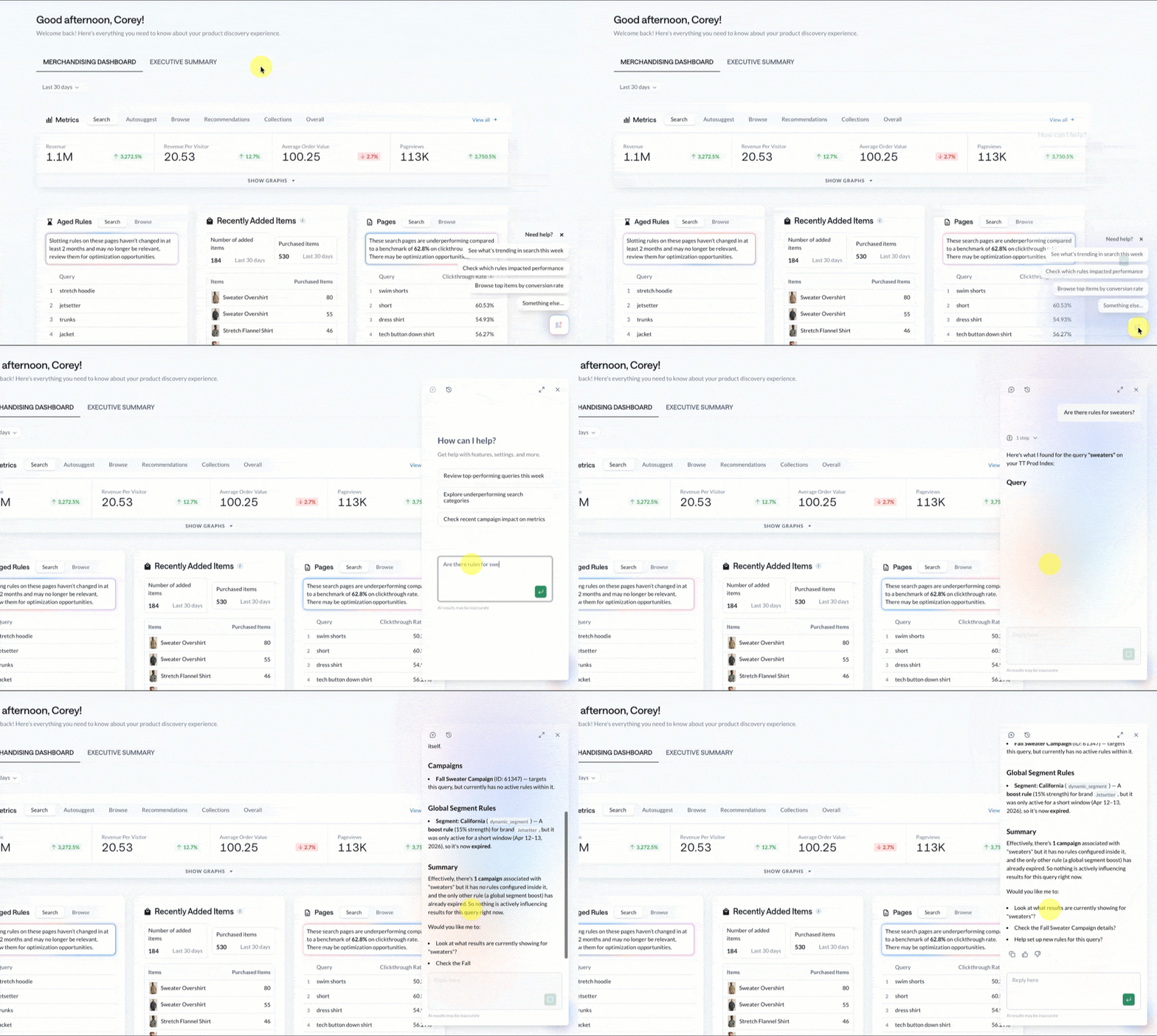
What questions can I ask?
You can ask the Merchant Intelligence Agent questions that fall into buckets aligned with the Explain, Suggest, and Automate levels discussed above.
Additionally, the Merchant Intelligence Agent understands follow-up questions, so you can have back-and-forth conversations to dig deeper into a topic.
These questions are straightforward, asking for an explanation of something you are seeing in the dashboard. Essentially, “Help me understand why.”
- “Why did this item appear for the query?”
- “Why is this product ranked low for?”
- “Why is this product missing or recalled from results?”
- “What’s impacting performance for this query/category?”
MIA is grounded in Constructor’s documentation, so you can ask it for a walkthrough or concept explanations.
- “How do Searchandising rules work?”
- “How does Constructor personalize results?”
- “How do I set up a boost rule for a query?”
- "What's the difference between facets and metadata?"
- “What does metric X mean in this report?”
- “Where in the dashboard do I change?”
These are action-oriented questions that help you make a decision. Essentially, “Given what we’re seeing, what are my options?”
- “What should I do to improve results for query?”
- “What can I do about an underperforming rule?”
- “Should I remove or adjust this rule?”
- “What actions would you recommend to increase item visibility?”
Example use cases
Below are popular use cases for Merchant Intelligence Agent.
Analytics and insights
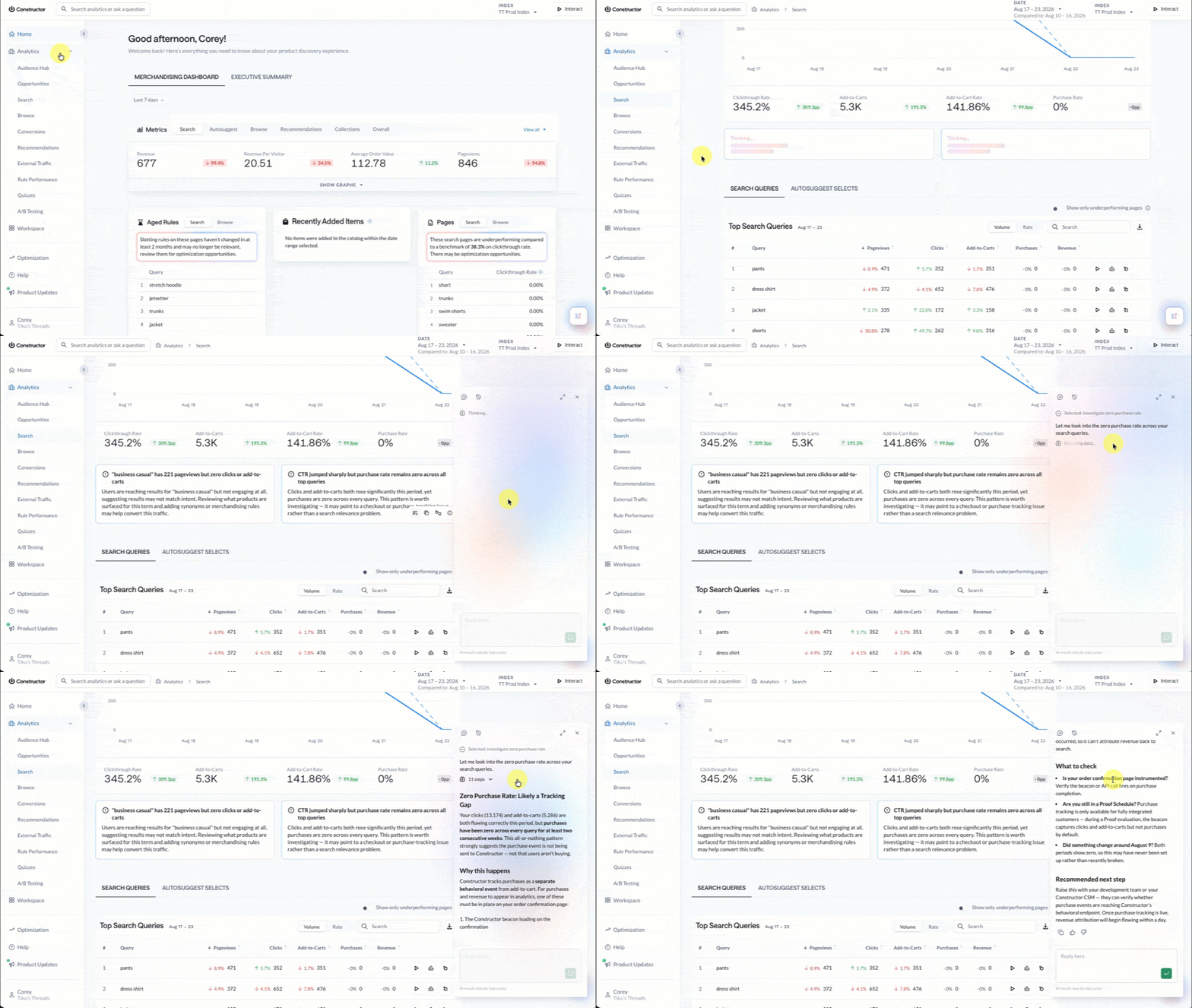
Navigate to an analytics sub page (Search, Browse, etc.) and review MIA insight cards located beneath the graphs. Hover over the card and select the chat icon to launch the MIA chat panel for the particular insight. There you can learn more about the insights, dig deeper into causes, and request suggestions for next steps.
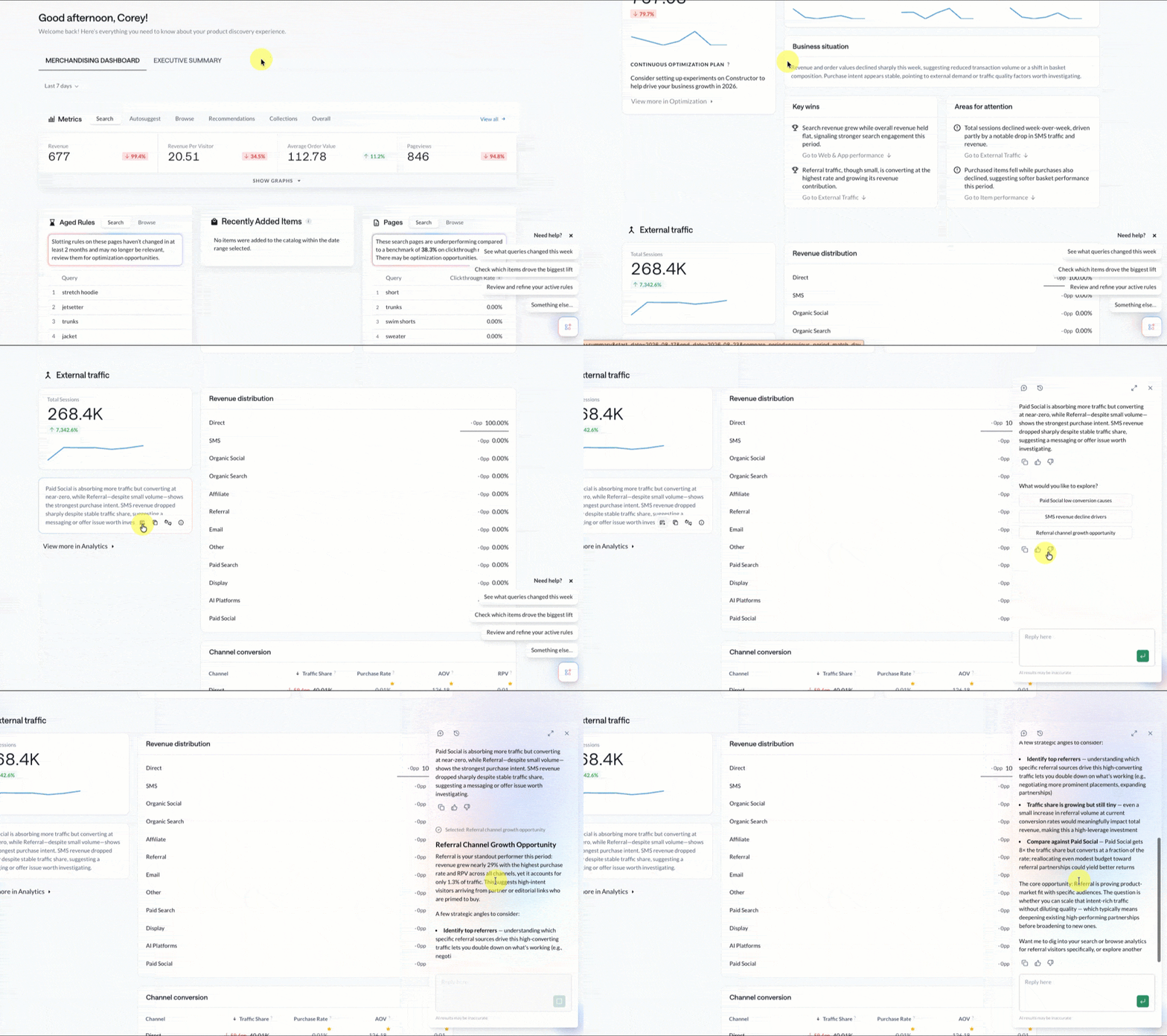
MIA's analytics knowledge extends beyond Search, Browse, and Recommendations to include items, rule performance, and traffic sources. Jump to the Executive Summary tab from the home page and choose a time frame to view MIA insights on across these key sections. Hover over the card and select the chat icon to launch the MIA chat panel for the particular insight.
Item ranking and relevance reasoning
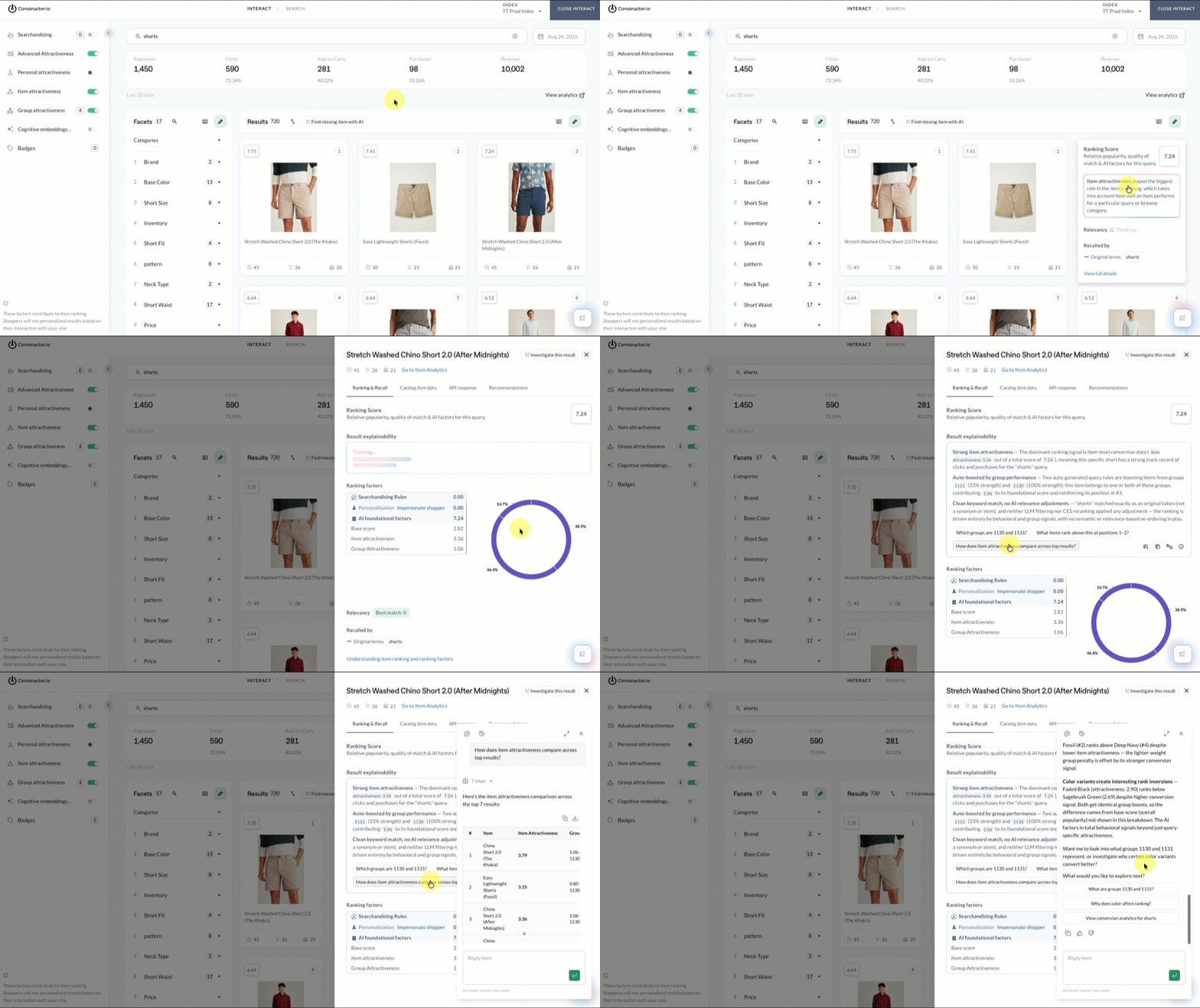
Using Interact, you can select an item's score in the top-right corner of the item card to view the driving factor in the item’s ranking. Also on display are relevance labels, delivering immediate transparency as to why an item ranked where it did. Options include Best Match, Good Alternative, Partial Match, and Weak Match.
Selecting the item card launches a side panel. At the top of this panel, MIA summarizes why the item appears where it does. This can help you decide whether to intervene with searchandising rules or trust the algorithm.
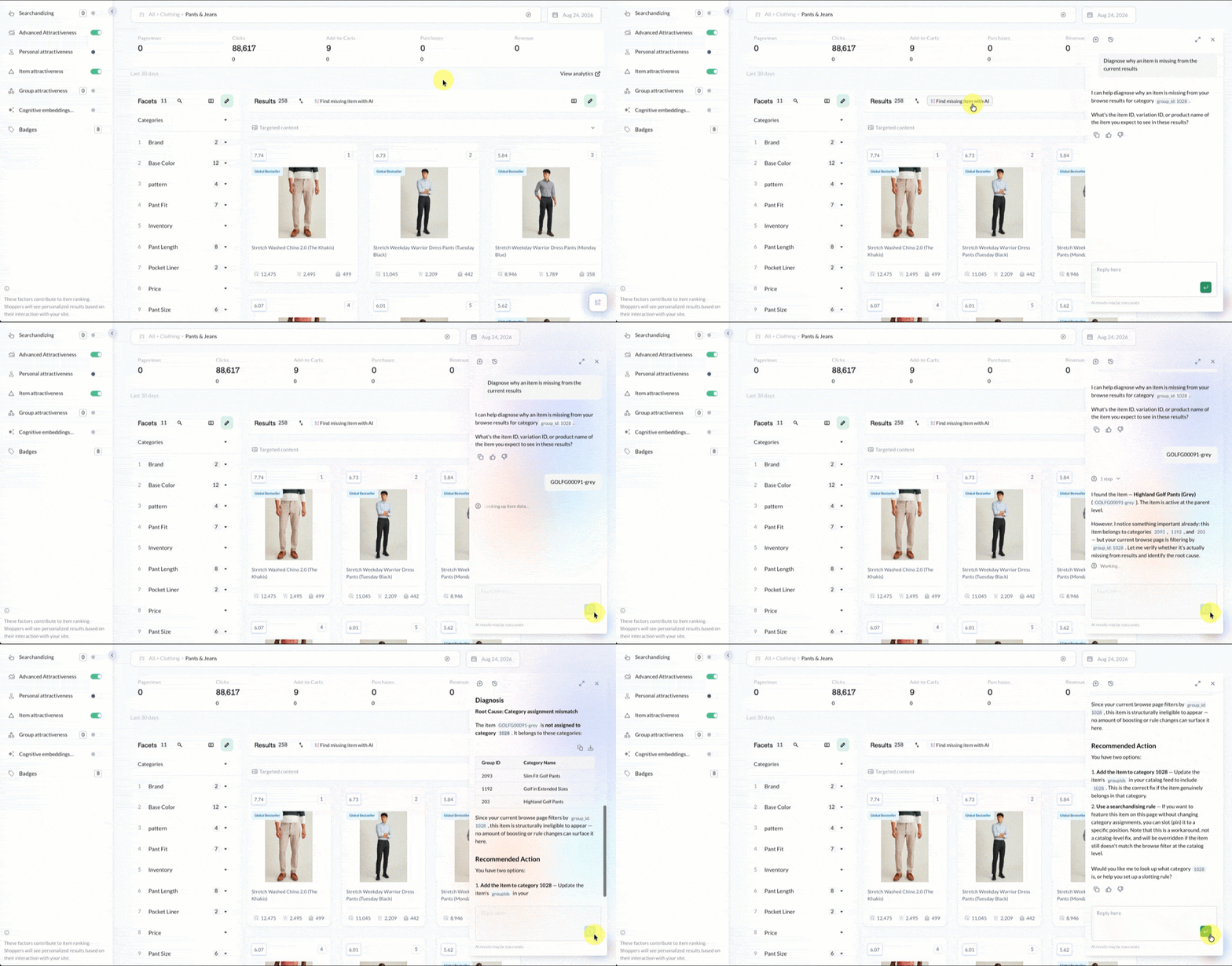
Diagnose missing item
Within Interact, take quick action to diagnose why a specific item doesn’t appear on a results page where you would expect it do. MIA will investigate catalog data, rule conflicts, and other information available to determine the root cause of the missing item. Additionally, MIA provides next steps to correct any underlying setup issues or suggestions for improving an item’s visibility.
Select the Find missing item button at the top of the Interact results table to launch MIA. Enter the item ID, variation ID, or item name and MIA will investigate.
Investigate results
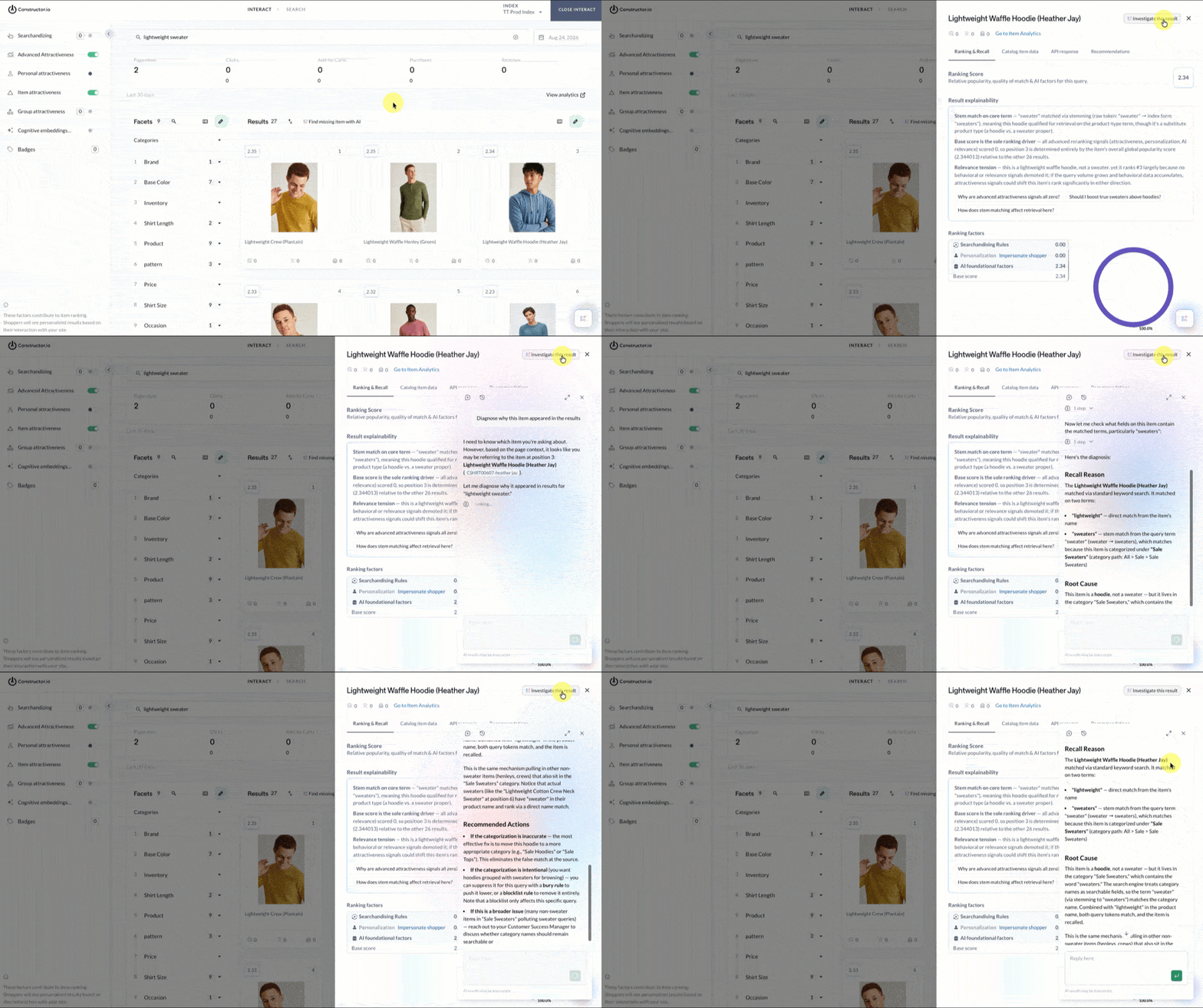
Within Interact, you can select an item and have MIA summarize why that item was returned in the results set. It’s a quick way to troubleshoot why an unexpected item appears in the results, or similar points of concern.
Select an item tile to launch the item details panel, then select Investigate this result in the top-right corner of the panel.
Updated about 1 month ago