
LLM filtering and burying models
Note: This ranking factor only appears for indexes with LLM filtering or burying models enabled. For more information, please contact your Customer Success Manager (CSM).
Constructor’s LLM filtering and burying models work within our existing algorithm to interpret the intent behind each search query and evaluate how relevant each item in the results is to that query. These models work before results are shown to a user, thereby contributing to a cleaner, more focused search experience.
- LLM filtering model: Removes or down-ranks results that are less relevant for a user’s intent.
- Burying model: Pushes less relevant results lower in the ranked list rather than removing them, thereby keeping them available if needed.
For example, if a user were to search shirt dress without these models working, they might see dress shirts returned alongside actual shirt dresses.
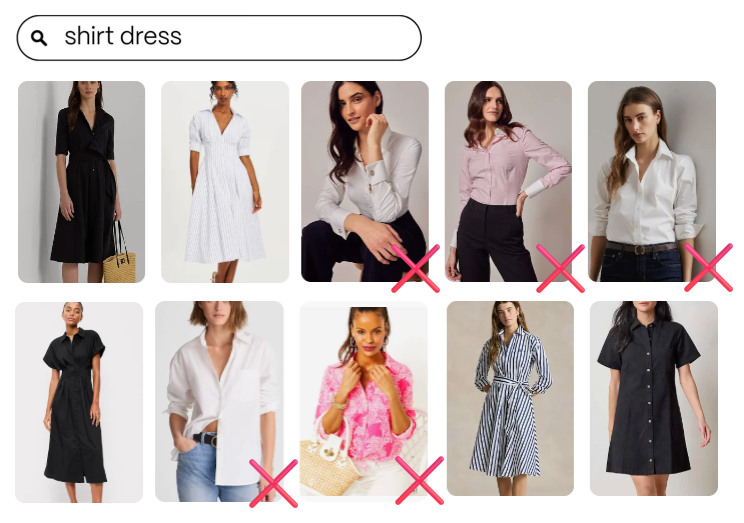
Search results containing both shirt dresses and dress shirts
With Constructor LLM filtering or burying models working, these irrelevant results are buried farther down the results set, allowing Constructor to rank and display more relevant results to the user:
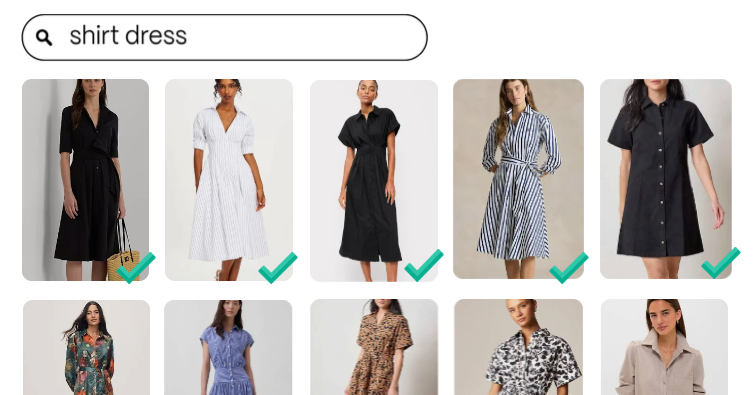
Search results focused on shirt dresses
These models are designed to work alongside Constructor's core principle of prioritizing attractiveness over strict relevance. Rather than filtering results based on relevance alone, the models aim to strike a balance: improving precision while preserving items that shoppers actually want, even if those items are a looser match to the query.
In practice, this means that if an item meets a purchase or add-to-cart threshold, the model does not affect its ranking. For example, if users searching for sofa frequently add sectionals to their cart or purchase them, those items remain ranked even if they would otherwise be considered less relevant to the query.
LLM filtering and burying models are available for A/B testing, allowing the Constructor team to ensure measurable, controlled improvements in attractiveness, business metrics, and user experience before rolling changes out broadly. Please reach out to your Customer Success Manager (CSM) for more information.
View models' impact on a results set
In Interact, merchandisers can clearly see when these models take action, including which items were buried or removed. This visibility makes it easy to understand how search results are being refined and how Constructor is improving product discovery behind the scenes.
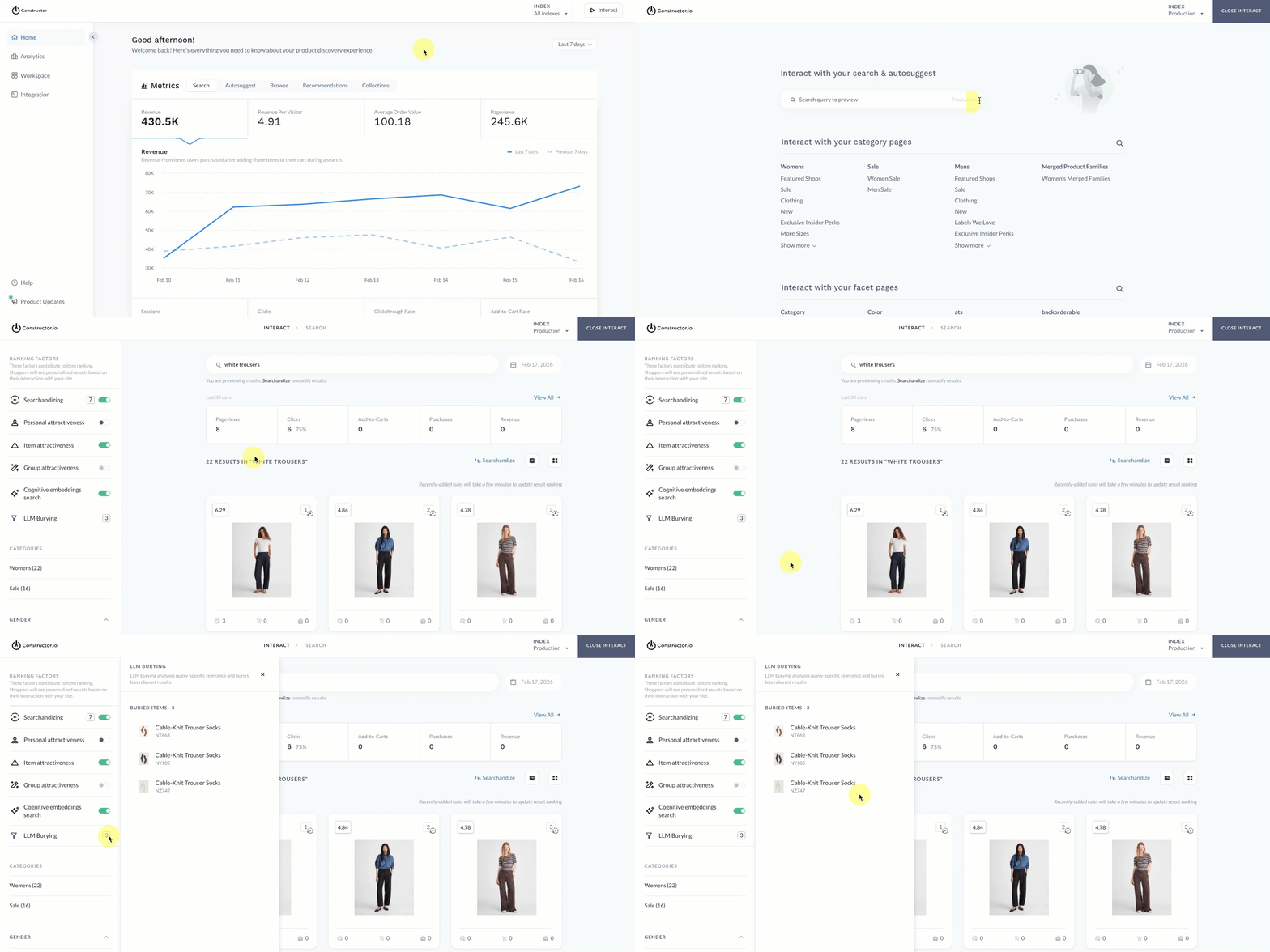
- Select Interact in the top-right corner of the Constructor dashboard.
- Enter a query in the search field provided, then hit Enter on your keyboard.
- In the side menu, under Ranking Factors, locate LLM Burying (or LLM Filtering).
- If the models buried/filtered items, then a count of the total buried/filtered items is shown. The item count will only show which items from the top 200 results were affected.
- If the models did not bury/filter any items for the query, then a
0count is shown.
- Select the item count to launch a sub-menu that lists item details for each buried/filtered item.
Updated 6 months ago