
Merchant Intelligence Agent
The Merchant Intelligence Agent (MIA) is an intelligence layer built into the Constructor dashboard that helps merchandisers understand what’s happening in their results, why it’s happening, and what they can do next.
More than just a standalone chatbot, MIA is designed to make the dashboard itself easier to use. It adds clear, natural language explanations directly into merchandisers’ workflows, so they can quickly interpret performance, rankings, and changes as they happen.
With MIA, merchandisers can:
- Understand why results look the way they do.
- Get clear explanations for search rankings, product visibility, and performance trends based on your specific data and configuration.
- Ask questions in plain language.
- Ask MIA questions as you would a teammate and get accurate answers about how the platform works and how to take action.
- Move from insight to action faster.
- Receive guidance on what to adjust, whether that’s improving rankings, refining rules, or identifying new opportunities
How Merchant Intelligence Agent works
Merchant Intelligence Agent spans three areas of capabilities:
Explain
Merchant Intelligence Agent’s Explain capability helps you quickly understand why results appear the way they do, without needing to investigate search logic manually. It surfaces clear, in-context explanations directly in the dashboard, so when something looks surprising or unclear, you can get immediate answers.
For example, you notice a surprising result for a query. You can ask, “Why did this item show up for this query?” and MIA can explain the relationship between the item in the query. This could include recall methods (e.g., synonym match, CES, etc.) and ranking factors. This allows you to review relevance and resolve issues faster.
Suggest
Merchant Intelligence Agent’s Suggest capability helps you move from understanding what’s happening to knowing what to do next. When you’re evaluating performance or trying to improve results, MIA provides clear, context-aware recommendations directly in your workflow.
For example, you want to promote a specific item but don’t know which contexts (e.g., search queries, browse categories, etc.) are best. MIA can suggest which contexts to target and which rules to apply to increase visibility.
Automate (coming soon)
We will publish more information about Merchant Intelligence Agent’s Automate capabilities once they are live in the dashboard.
Launch Merchant Intelligence Agent
You can access the Merchant Intelligence Agent at any time by selecting the agent icon in the bottom-right corner of the Constructor dashboard.

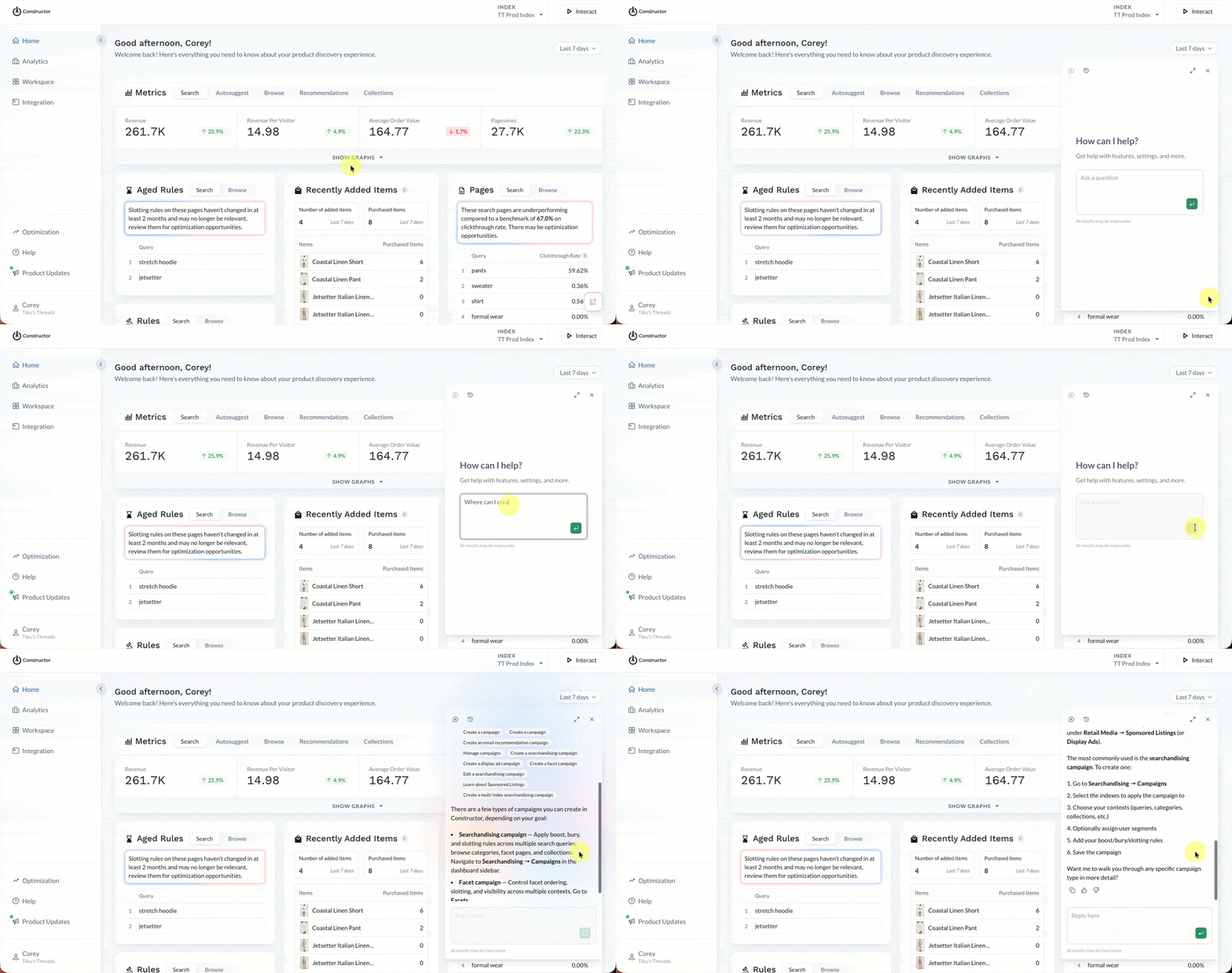
Type your question into the text area using natural language, just as you would if you were asking a teammate a question. MIA will process your question and return a relevant answer based on Constructor's documentation.
What questions can I ask?
You can ask the Merchant Intelligence Agents questions that fall into buckets aligned with the Explain, Suggest, and Automate levels discussed above.
Additionally, the Merchant Intelligence Agent understands follow-up questions, so you can have back-and-forth conversations to dig deeper into a topic.
Explain questions
These questions are straightforward, asking for an explanation of something you are seeing in the dashboard. Essentially, “Help me understand why.”
- “Why did this item appear for the query?”
- “Why is this product ranked low for?”
- “Why is this product missing or recalled from results?”
- “What’s impacting performance for this query/category?”
How-to questions
The Merchant Intelligence Agent is grounded in Constructor’s documentation, so you can ask it for a walkthrough or concept explanations.
- “How do Searchandising rules work?”
- “How does Constructor personalize results?”
- “How do I set up a boost rule for a query?”
- "What's the difference between facets and metadata?"
- “What does metric X mean in this report?”
- “Where in the dashboard do I change?”
Suggest questions
These are action-oriented questions that help you make a decision. Essentially, “Given what we’re seeing, what are my options?”
- “What should I do to improve results for query?”
- “What can I do about an underperforming rule?”
- “Should I remove or adjust this rule?”
- “What actions would you recommend to increase item visibility?”
Updated about 3 hours ago